

3 Axis vs 4 Axis Milling Machine: Which One Does Your Workshop Actually Need?
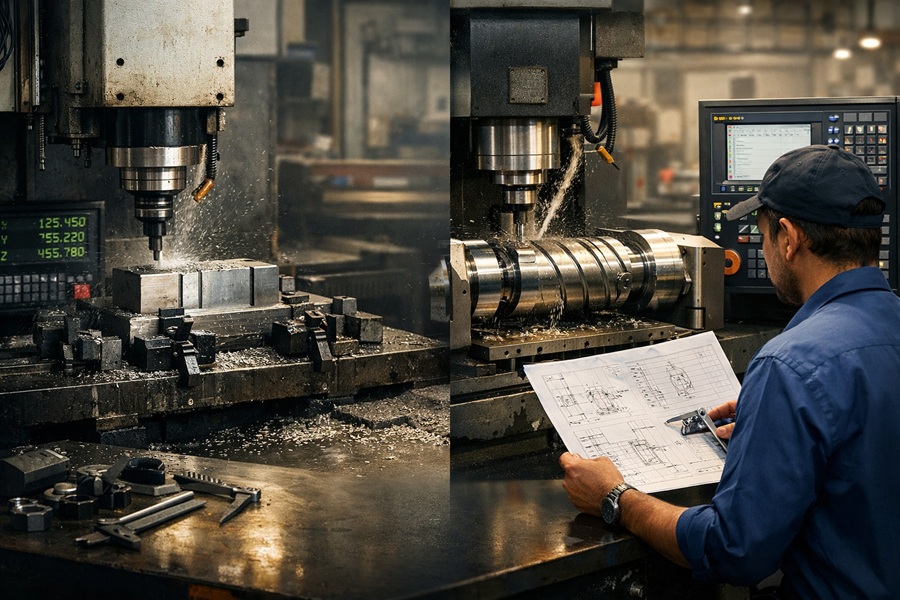
You’re running a multi-face component on your 3-axis mill.
First setup, clamp, zero, cut. Second setup, unclamp, rotate, re-clamp, re-zero, cut again. Third setup. Sometimes a fourth. Each time you flip that part and re-clamp it, you’re introducing error. Small error, sure — but it compounds.
By the time you’re done, the part has taken three times longer than it should have. The tolerance stack-up is sitting right at the edge of what the drawing allows. And the customer is already on the phone asking where their parts are.
This is not a skill problem. This is a machine problem.
The question isn’t whether your operator is good enough. He probably is. The question is whether a 3 axis vs 4 axis milling machine is the right decision for the kind of work sitting on your shop floor right now.
That’s exactly what this guide answers. No theory. No generic comparisons. Just the real difference between these two machines, the jobs each one handles well, and how to know which one belongs in your workshop.
What Is the Difference Between a 3 Axis and 4 Axis Milling Machine?
A 3-axis milling machine moves its cutting tool along three linear directions: X (left to right), Y (front to back), and Z (up and down). The workpiece stays fixed.
A 4-axis machine adds an A-axis — a rotational axis that spins the workpiece around the X-axis, allowing access to curved surfaces, multiple faces, and complex profiles without repositioning the part.
A 3-axis milling machine moves its cutting tool along three linear directions: X (left to right), Y (front to back), and Z (up and down). The workpiece sits clamped to the table and doesn’t move during cutting. Everything the machine does — every slot, pocket, hole, and surface — comes from the tool approaching the workpiece from above along those three straight-line paths.
A 4-axis machine keeps all three of those linear axes and adds one more: the A-axis. The A-axis doesn’t move in a straight line. It rotates the workpiece around the X-axis. So while the tool is cutting, the part can spin — either to a fixed angle and hold there, or continuously rotating while the tool moves simultaneously.
That single addition changes what the machine can reach, what geometries it can produce, and how many times you need to stop and reposition the part.
There are two ways a 4-axis machine uses that rotational movement. The first is indexed mode, sometimes called 3+1. The A-axis rotates the workpiece to a set angle, locks it in place, and the machine runs a standard 3-axis cut. When that operation is done, it rotates again to the next angle and repeats. You’re not cutting during the rotation — you’re just using it to access a different face without touching the fixture.
The second is continuous mode. Here, all four axes move simultaneously. The tool is cutting while the part is rotating. This is how you produce helical grooves, spiral profiles, cam lobes, and curved surface features that no 3-axis machine — no matter how skilled the operator — can physically produce.
The simplest way to remember the difference: on a 3-axis machine, the workpiece holds still. On a 4-axis machine, the workpiece rotates.
What a 3-Axis Milling Machine Does Well — and Where It Runs Out of Road
A 3-axis mill handles flat surfaces, pockets, slots, drilled holes, threaded holes, stepped profiles, and contours on a single face — with proven reliability and lower operating cost. Its hard limits are multi-face parts requiring repeated repositioning, angled features off the standard axes, and any cylindrical or helical geometry the tool simply cannot reach in straight-line motion.
The 3-axis mill is still the most widely used milling machine in Indian workshops, and for good reason. It handles an enormous range of work with proven reliability, lower operating cost, and simpler programming.
Flat surfaces, pockets, slots, drilled holes, threaded holes, stepped profiles, and contours on a single face — all of this is squarely in 3-axis territory. Most toolroom components, machine brackets, fixture bodies, jig plates, and structural parts never need more than three axes. For that category of work, a well-built 3-axis mill with a DRO delivers excellent accuracy at a fraction of the cost of a 4-axis machine.
The problem shows up the moment your part has features on more than one face. To machine a second side, you stop the machine, unclamp the part, rotate it manually, re-clamp it, and re-zero your datum. Then you cut again. For a third face, repeat the whole process. If your part needs all six faces machined, that’s potentially six separate setups — and each repositioning carries its own clamping error, typically in the range of 0.01mm to 0.03mm per re-clamp. On a single setup that barely matters. Stacked across six setups, it adds up fast.
The other hard limit of 3-axis machining is geometry that sits at an angle to the standard axes. A surface tilted 30 degrees off the X-axis? The 3-axis machine can’t reach it without either a special angled fixture or a 4th axis. A cylindrical surface that wraps around a shaft? The tool can only approach in straight lines — it can’t follow the curve. A helical groove cut along a rotating cylinder? Impossible on 3-axis.
These aren’t operator limitations. They’re physical constraints of what three linear axes can and cannot reach.
What the 4th Axis Actually Adds in a Real Workshop
Let’s stay practical here, because 4-axis capability often gets oversold with aerospace examples that have nothing to do with the work most Indian machine shops actually run.
The most immediate benefit of the 4th axis isn’t complexity — it’s setup reduction. When your workpiece can rotate to any position without being unclamped, a part that previously needed four setups now needs one or two. That’s not a marginal improvement. It’s a fundamental change in how long each job takes and how much error accumulates.
Research from machining operations shows that eliminating multi-face repositioning can increase machine utilization by 30 to 50 percent. Not because the machine cuts faster, but because it spends less time sitting idle while an operator re-zeroes, re-fixtures, and re-probes a part that should have been done in one go.
The fixture cost saving is real too. A part that requires two purpose-built fixtures on a 3-axis machine often needs only one on a 4-axis machine. Fixtures aren’t cheap to design and make. Every time you eliminate one, that cost goes straight back in your pocket.
Beyond setup reduction, the 4th axis opens a specific category of jobs that 3-axis simply cannot quote. Cylindrical engraving. Milling on the curved surface of a shaft or roller. Hex features machined directly onto round stock. Cam lobes with non-standard profiles. Helical slots on a cylinder. Spiral milled grooves. These are jobs where a 4-axis shop can charge a premium and a 3-axis shop has to turn the work away.
If your job shop regularly loses quoting opportunities because the part has cylindrical features and you can’t produce them, that’s the clearest sign that 4-axis belongs on your floor.
3 Axis vs 4 Axis Milling Machine: A Direct Comparison
Here’s how the two machines compare across the dimensions that actually matter when you’re making a purchase decision.
| Parameter | 3-Axis Mill | 4-Axis Mill |
|---|---|---|
| Axes of movement | X, Y, Z (linear) | X, Y, Z + A (rotational) |
| Workpiece position | Fixed throughout cutting | Rotates 360° on A-axis |
| Part geometry | Flat, prismatic, 2.5D | Multi-face, cylindrical, helical |
| Setups per multi-face part | Up to 6 (one per face) | 1 to 2 in most cases |
| Clamping error risk | Compounds with each setup | Minimised in single setup |
| CAM programming | Standard G & M codes | 4-axis CAM module needed |
| Machine purchase cost | Lower baseline | 30–60% premium over 3-axis |
| Annual maintenance | 3–6% of asset value | Add ~1% for rotary axis |
| Operator skill required | Standard | Intermediate to advanced |
| Best fit | Toolrooms, job shops, prismatic parts | Automotive, cam profiles, cylindrical work |
The table tells the story clearly enough. Neither machine is better in an absolute sense. One is better for the specific mix of jobs on your floor right now.
Which Industries and Job Types Actually Need a 4-Axis Machine?
| A 4-axis machine is worth the investment when your work involves cylindrical surfaces, multi-face components, cam profiles, or helical geometry on a regular basis. Automotive component manufacturing, cam shaft work, die and mould with multi-face cavities, and job shops quoting diverse cylindrical work are the clearest fits. If your work is predominantly flat and prismatic, 3-axis remains the more efficient investment. |
This is where the decision either becomes obvious or stays murky, depending on what you actually make.
In automotive component manufacturing, the 4-axis machine earns its place immediately. Cam lobes, crankshaft features, gear profiles, cylindrical bore patterns on engine housings — these are all jobs that require the workpiece to rotate during or between cuts. A 3-axis machine can approximate some of this with multiple setups and specialised fixturing, but the time cost and error risk make it uncompetitive for any real production volume.
In die and mould work, the 4th axis becomes valuable when the mould has cavity features that appear on multiple faces or require angled access. A single-cavity mould with a flat parting line might be fine on 3-axis. A multi-face mould with features that wrap around geometry needs 4-axis access to machine accurately in fewer setups.
In job shops that take diverse work, the 4th axis changes your quoting capability. A shop running only 3-axis has to say no to every cylindrical and helical job that walks through the door. A shop with 4-axis capability can say yes to that work at a premium price point. For a job shop in a competitive market, that difference in capability often matters more than any single efficiency gain.
In defence and aerospace work, the accuracy argument dominates. When a part’s geometric tolerances are tight enough that repositioning error is a real concern, the fewer setups the better. Multi-face components machined in a single 4-axis setup consistently outperform the same parts made with multiple 3-axis setups on positional accuracy.
On the flip side, there’s a large category of work — and many workshops in India fall into this category — where 3-axis is genuinely the right answer. If your shop produces flat brackets, fixture bodies, toolroom plates, jig components, and structural parts where the geometry never goes off-axis, a 4-axis machine adds purchase cost, maintenance cost, and programming complexity without adding meaningful production value. A high-quality 3-axis mill with DRO is a smarter investment for that type of workshop.
What Does a 4-Axis Milling Machine Actually Cost? The Numbers You Need
Most buyers look at the machine price and stop there. That’s a mistake. The machine price is just the beginning.
A 4-axis milling machine typically costs more than a comparable 3-axis model, but the real decision should be based on Total Cost of Ownership (TCO) and the ROI from setup reduction.
Key Cost Factors to Compare
- Machine purchase premium: typically 30–60% higher than a comparable 3-axis model
- Purchase price share of TCO: around 40% of total lifetime cost
- Remaining 60% TCO includes: maintenance, operator training, CAM software, calibration, and downtime
- Annual 3-axis maintenance: typically 3–6% of machine asset value
- Additional 4th-axis maintenance: around +1% per year
- CAM software upgrade: requires 4-axis CAM module or new license
- Retrofit risk: rotary table retrofits often cost nearly the same as a purpose-built 4-axis machine
- Typical ROI window: 18–24 months if multi-face parts are 50%+ of workload
- Low-utilization risk: if cylindrical/multi-face jobs are only 10% of work, ROI may be too slow
So Which Machine Is Right for Your Workshop?
| Choose 3-axis if most of your work is flat, prismatic, and single-face — toolroom parts, brackets, plates, and jig bodies. Choose 4-axis if you regularly machine cylindrical surfaces, multi-face parts, cam profiles, or helical geometry, and the setup time you’re currently losing represents a real, measurable cost. Match the machine to your job mix, not to what sounds more capable on paper. |
So Which Machine Is Right for Your Workshop?
The right machine depends entirely on the kind of work your shop handles every day.
A 3-axis milling machine is usually the better choice if your jobs are mostly flat, prismatic, and single-face. It is ideal for toolroom components, machine brackets, fixture plates, jig bodies, and die sets with flat cavities. For this kind of work, adding extra axes only increases cost without improving output.
A 4-axis milling machine becomes the smarter investment when your parts regularly involve cylindrical surfaces, multi-face machining, angled profiles, or helical geometry. It is also the right choice when your shop is losing jobs because you cannot quote cylindrical or indexed features.
Use This 5-Point Decision Checklist
Ask these practical questions before investing:
- Does more than 30% of your work need multi-face or cylindrical machining?
- Are you losing quotes because 3-axis cannot handle certain geometries?
- Is repositioning error causing rejections on multi-setup jobs?
- Do you already have (or can hire) a programmer for 4-axis CAM?
- Will the new jobs you can quote justify the extra TCO?
How to Make the Final Decision
- If you answered yes to 3 or more, 4-axis is likely the right investment
- If most answers are no, a high-quality 3-axis machine with DRO will usually give better ROI
- Match the machine to your actual part geometry and quoting pattern
- Avoid buying extra capability that your workflow doesn’t need
The Real Rule
There is no universal best machine.
There is only the best machine for the work your workshop actually does.
The Berlin Machineries team typically uses this same framework before recommending any machine, which helps buyers choose based on job mix, production volume, and lost quoting opportunities, not just brochure features.
Talk to the Berlin Machineries team about your next machine →
Frequently Asked Questions
Can I add a rotary table to my existing 3-axis machine to get 4-axis capability?
Technically yes, but the economics rarely work out the way buyers expect. Retrofitting a rotary axis to an existing 3-axis machine requires precision alignment, software integration, and calibration that often costs as much as — or more than — simply purchasing a purpose-built 4-axis machine. You also risk compromising the accuracy of the original machine during the retrofit process. If you’re seriously considering 4-axis capability, buying the right machine from the start is almost always the better decision.
Is 4-axis milling harder to programme than 3-axis?
Indexed 4-axis programming (3+1 mode) is only marginally more complex than standard 3-axis work — most modern CAM software handles the rotational positioning automatically. Continuous 4-axis programming, where all four axes move simultaneously to produce helical or cam profiles, is significantly more complex and requires a 4-axis CAM module and an experienced programmer. For most Indian machine shops, indexed mode covers 90 percent of the practical advantage of having a 4th axis.
What is the A-axis in a 4-axis milling machine?
The A-axis is a rotational axis that spins the workpiece around the X-axis — the left-right linear axis. It’s the fourth axis that distinguishes a 4-axis machine from a standard 3-axis mill. The A-axis allows the workpiece to be rotated to any position, typically 360 degrees of continuous rotation, enabling the machine to access cylindrical surfaces and multiple faces of a part without unclamping and repositioning it.
Which is more accurate — 3-axis or 4-axis milling?
For single-face flat geometry, a high-quality 3-axis machine and a 4-axis machine deliver comparable accuracy. The accuracy advantage of 4-axis shows up in multi-face parts. Each time you unclamp and re-clamp a workpiece on a 3-axis machine, you introduce positioning error of roughly 0.01mm to 0.03mm. On a part needing six setups, that error can stack to a level that affects fit and function. A 4-axis machine machines the same part in one or two setups, eliminating most of that accumulated error.
Is a 4-axis milling machine worth the investment for a small workshop in India?
It depends entirely on the nature of your work. If your shop regularly handles cylindrical features, cam profiles, or multi-face components, the reduction in setup time and the ability to quote new job types typically justify the additional cost within 18 to 24 months at reasonable production volumes. If your work is mostly flat and prismatic — toolroom parts, brackets, plates — a 3-axis machine with DRO delivers better value for money and lower operating cost. Match the machine to your job mix, not to what sounds more capable on paper.

Leave a Reply